
Client by Application Report provides general client information with application-specific filters. helps to generate reports of specific information about clients' applications. Different filters like Application Stage, Application Status, Workflow, Partner, Product, and Workflow can be applied to generate the report.
Steps to Generate Report of the Client by Application
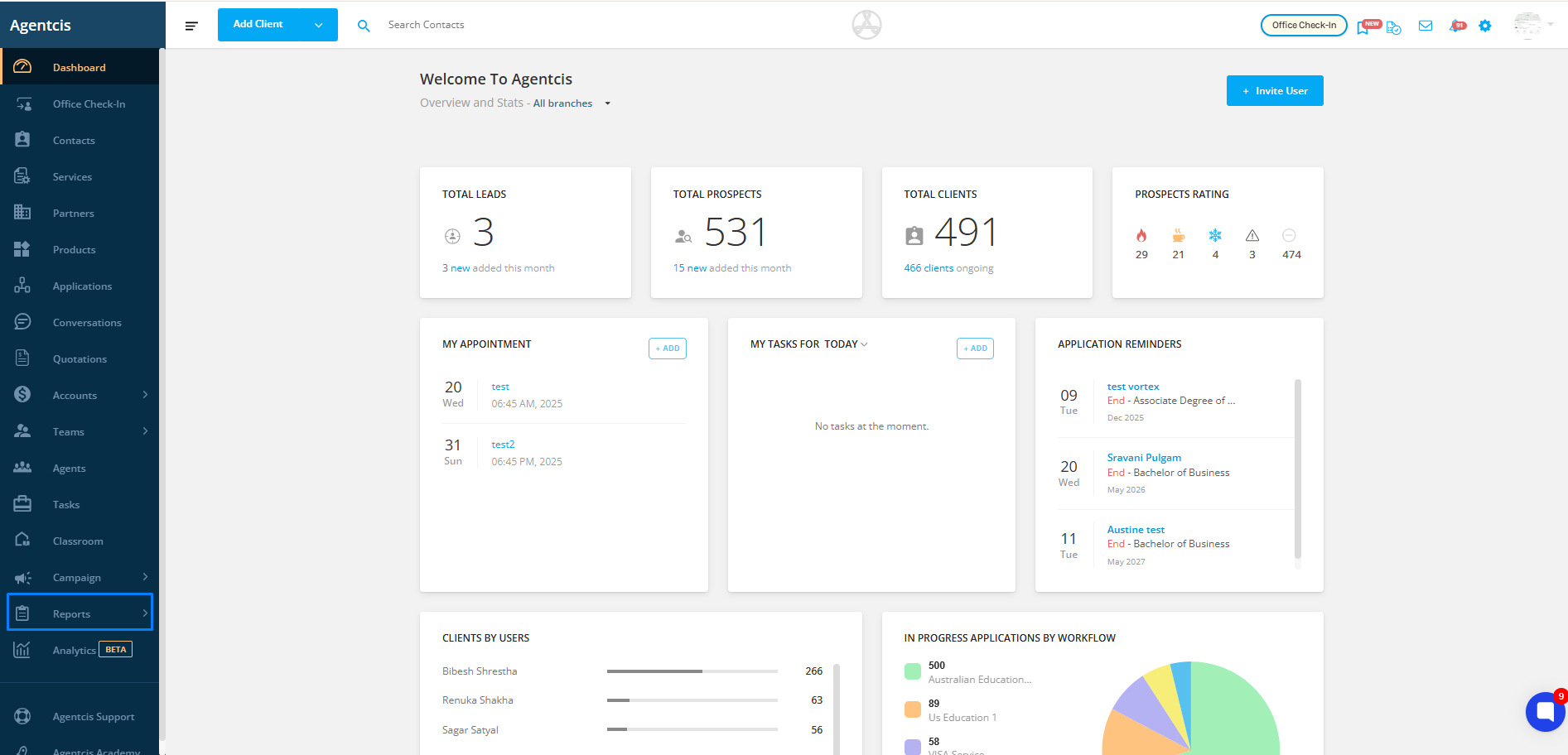
Step 1: From the dashboard, go to Reports.
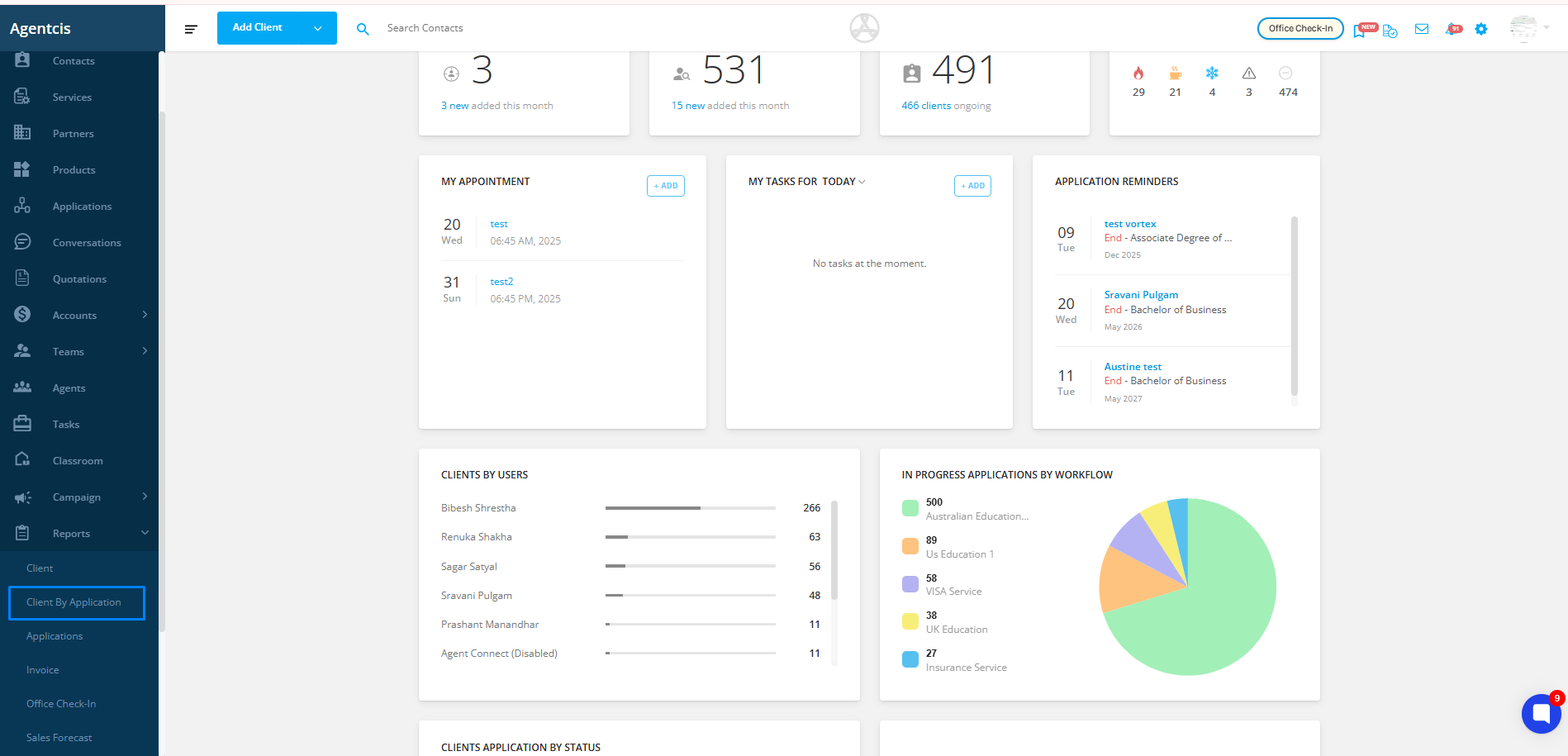
Step 2: Select Client by Application from the dropdown menu.
Step 3: Click on Add New Filter and choose the required filter(s) from the dropdown list.
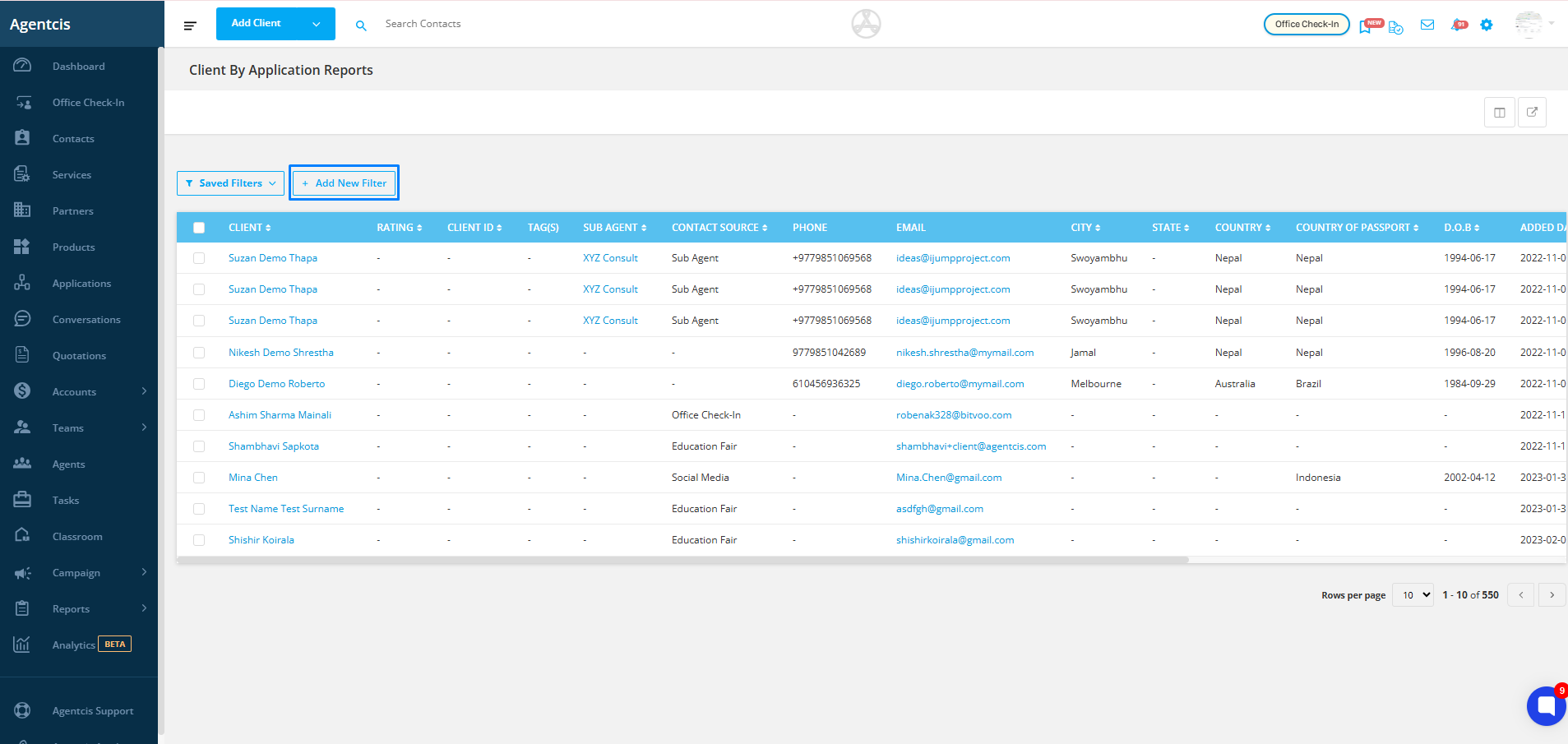

You can apply multiple filters and save them for future use as well. Refer to the following link for a detailed guide on using filters more effectively: https://support.agentcis.com/en/articles/288-managing-filtering-and-exporting-reports