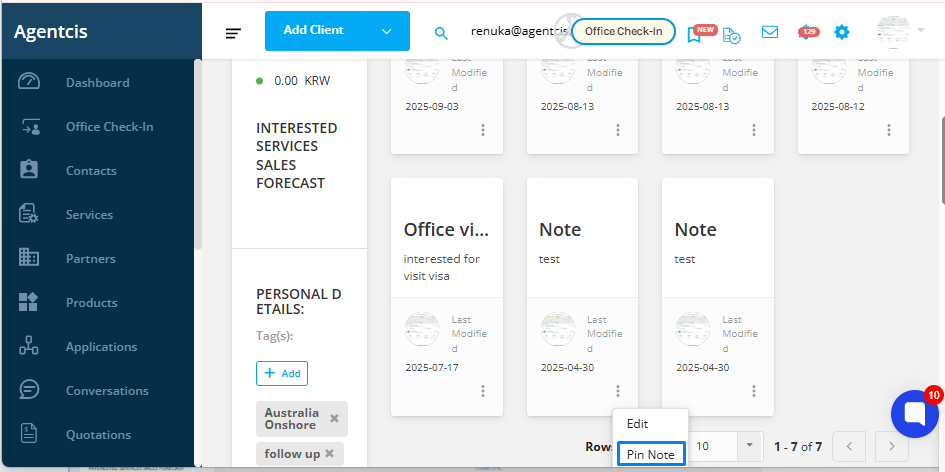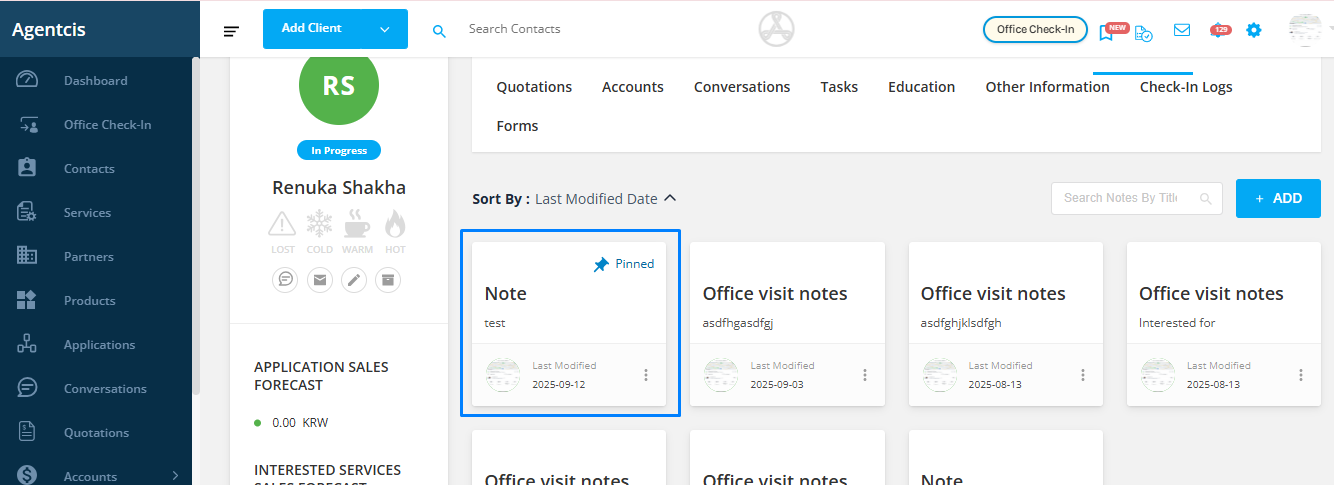
In Agentcis, you can pin important notes so they always stay at the top of the list for quick visibility. This feature ensures that the most critical information is always easy to access, even if you have many notes in a contact profile.
How to Pin a Note
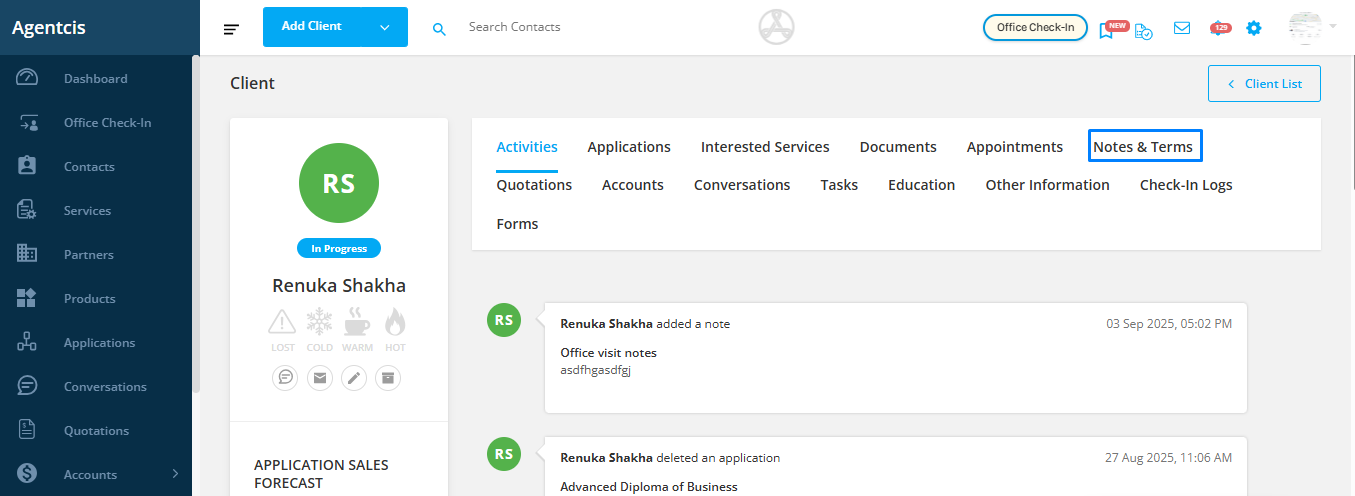
Step 1: Go to the Contact Profile and Open Notes & Terms
Navigate to the contact profile and click on the “Notes & Terms” tab where all notes for that contact are stored.
Step 2: Locate the Note You Want to Pin
Find the note you want to highlight.
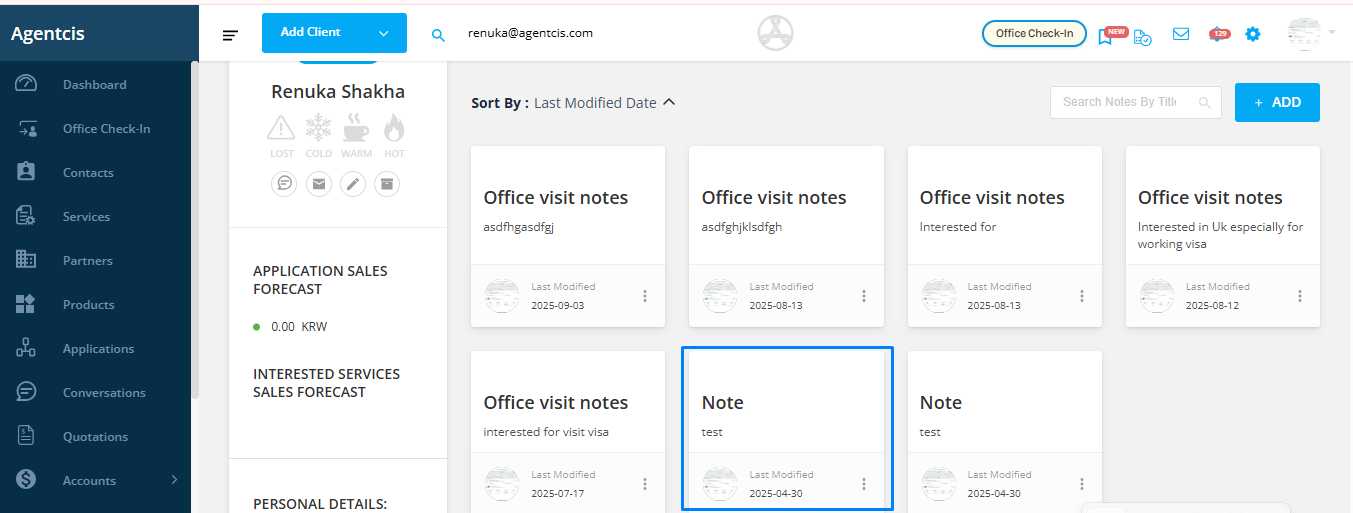
Step 3: Use the Three-Dot Menu
Click on the three dots beside the note.
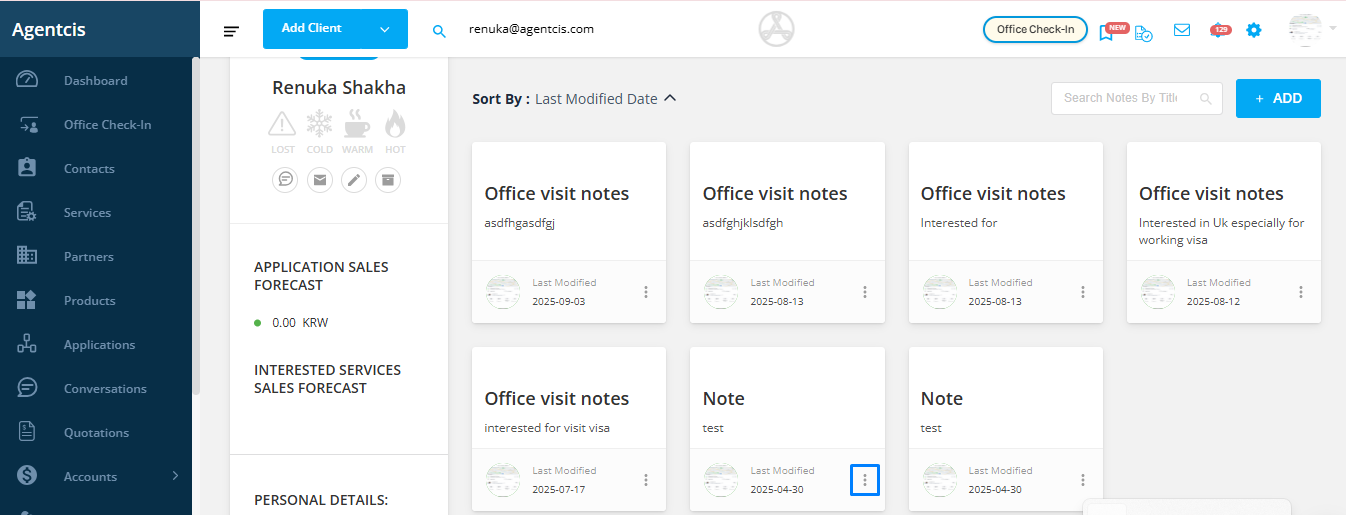
Step 4: Select “Pin Note”
Once pinned, the note will remain at the top of the list for easy access.