
In the Contacts Module, the Action Button (three-dot icon) lets you perform common tasks quickly without opening the full profile of the contact. Here are the main actions and their purpose:
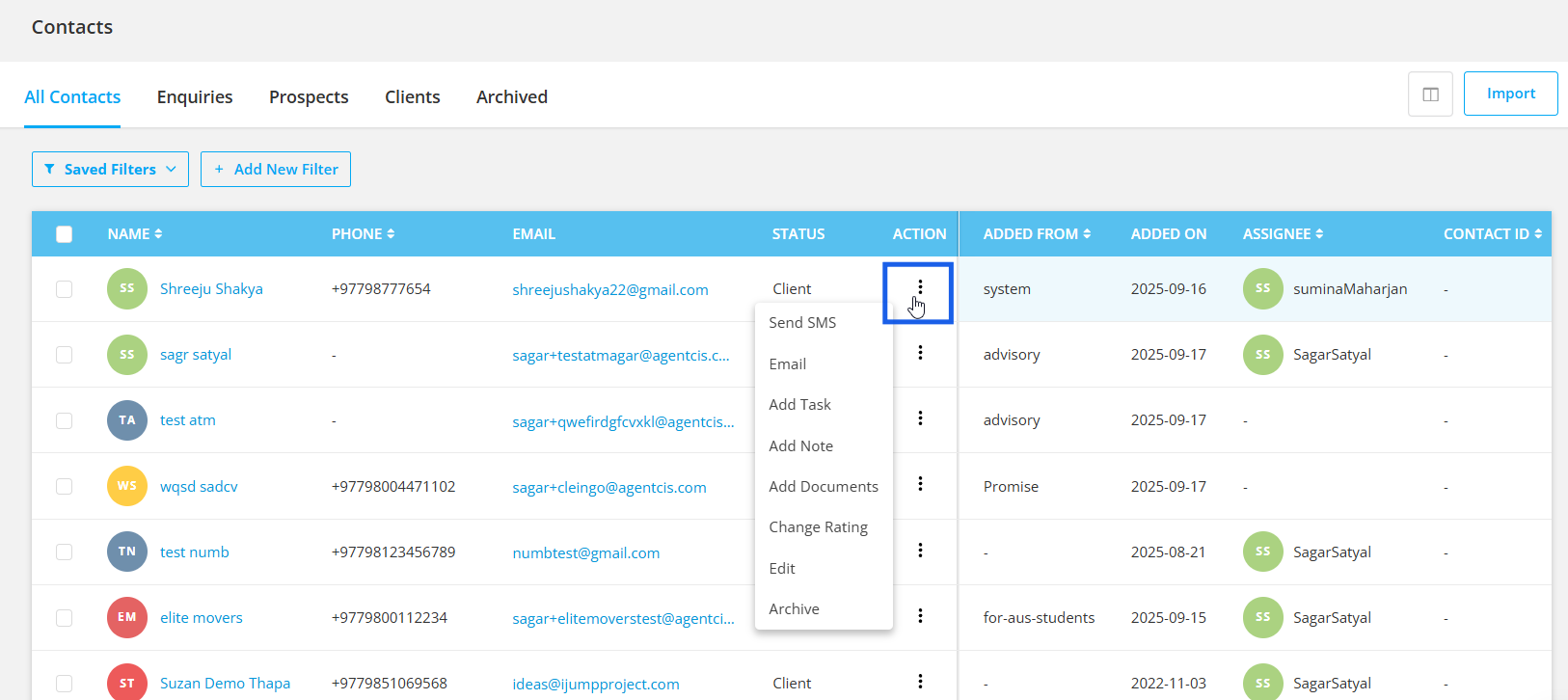
Email – Send messages directly to the contact.
Add Task – Create follow-up or reminder tasks.
Add Note – Record important details or updates.
Add Documents – Upload and attach files to the contact.
Change Rating – Update the contact’s status (e.g., Hot, Warm, Cold, Lost).
Edit – Modify contact information.
Approve – Approve the enquiry/lead by assigning to a user.
Archive – Move inactive contacts out of the active list while keeping records safe.
This streamlined menu ensures faster contact management and fewer clicks.

This action feature can be used in modules: All Contacts, Enquiries, Prospects and Clients.