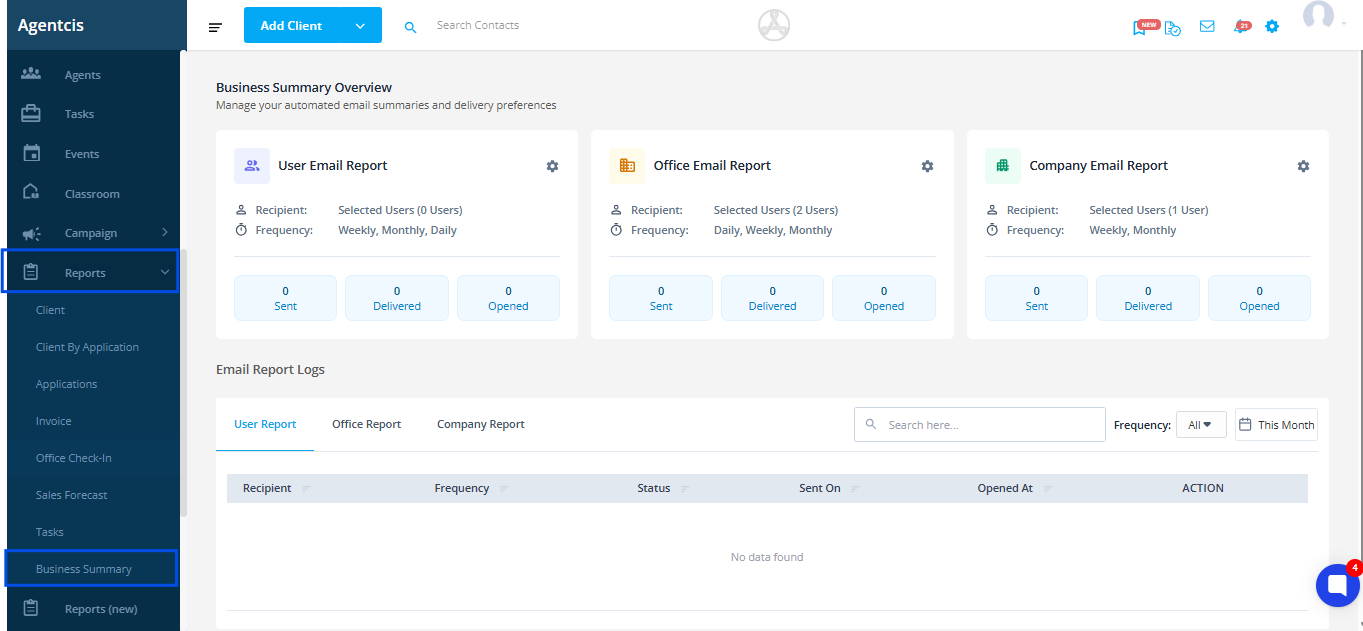
Go to Reports Module and click on Business Summary
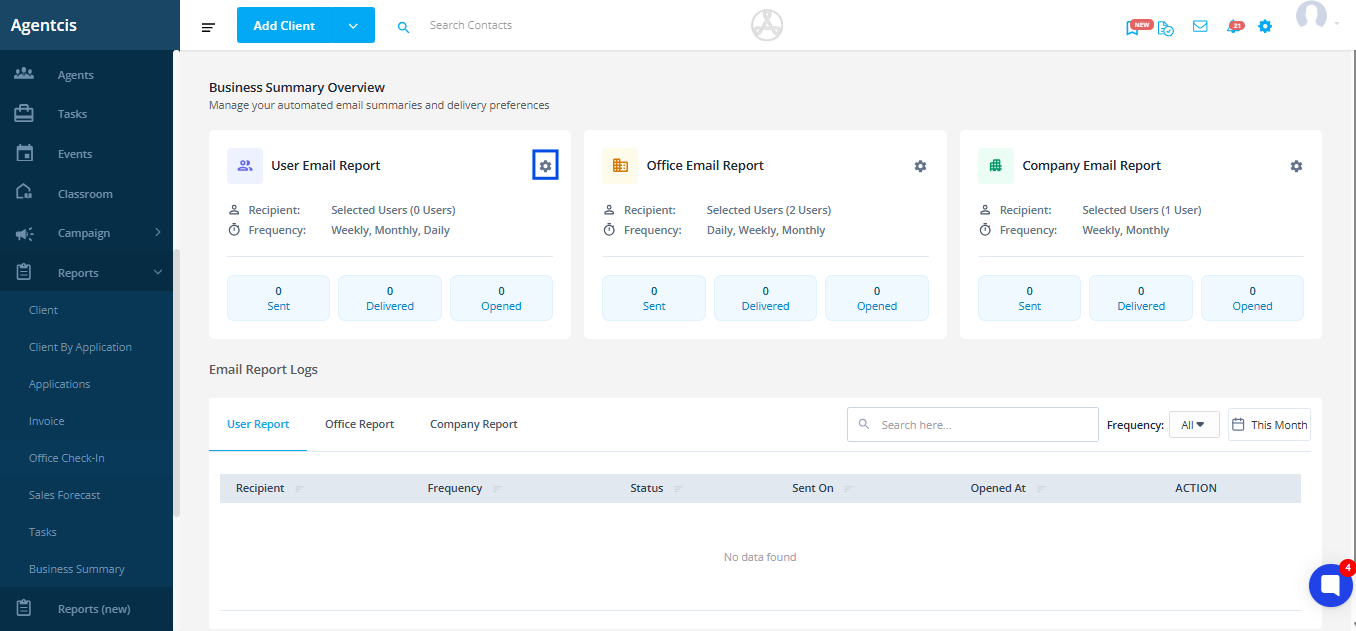
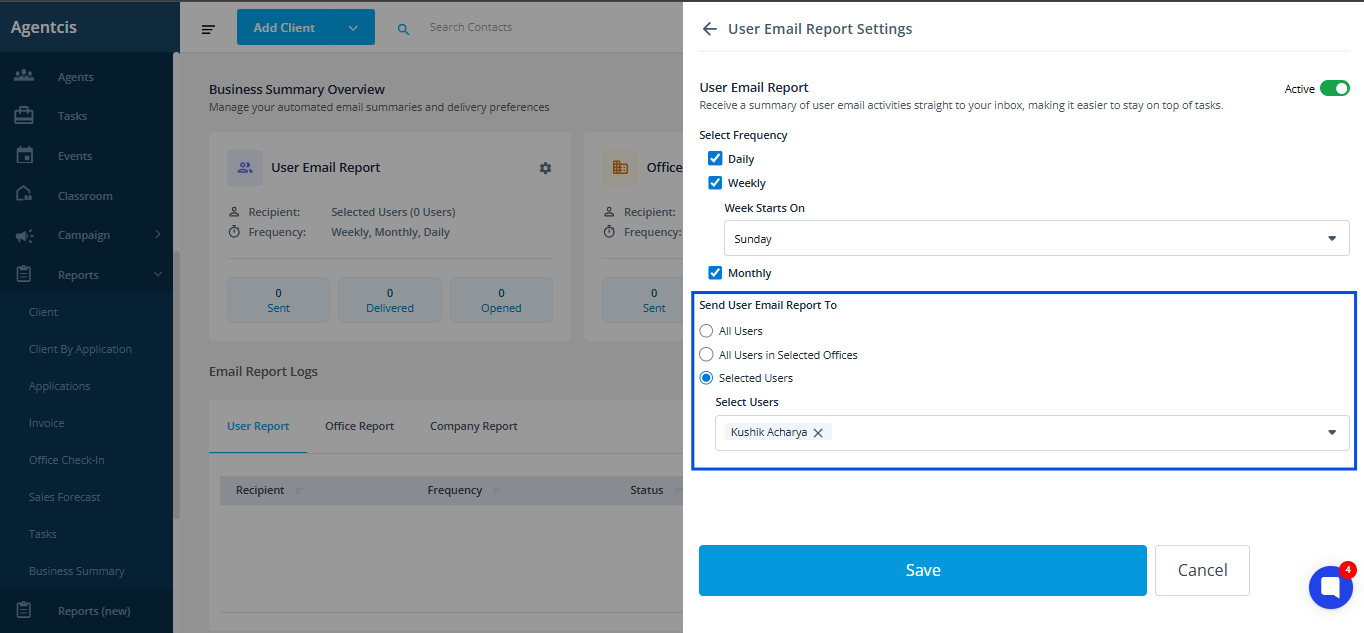
Select settings of User Email Report
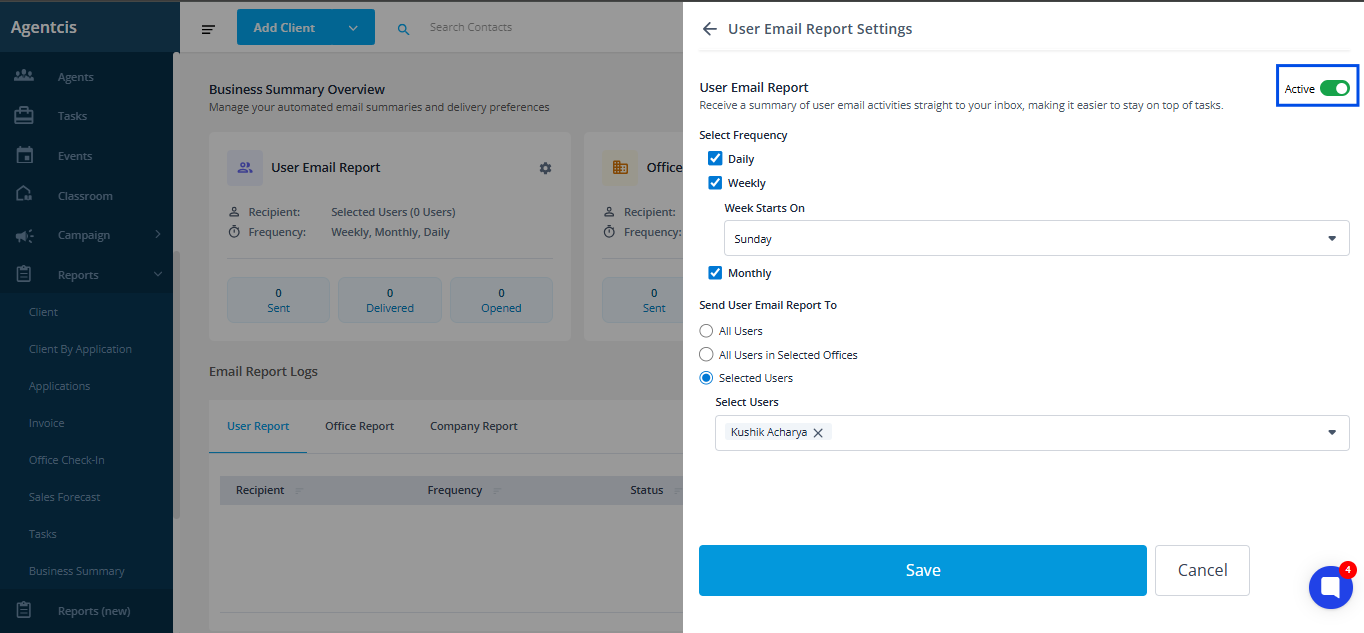
Turn the toggle ON
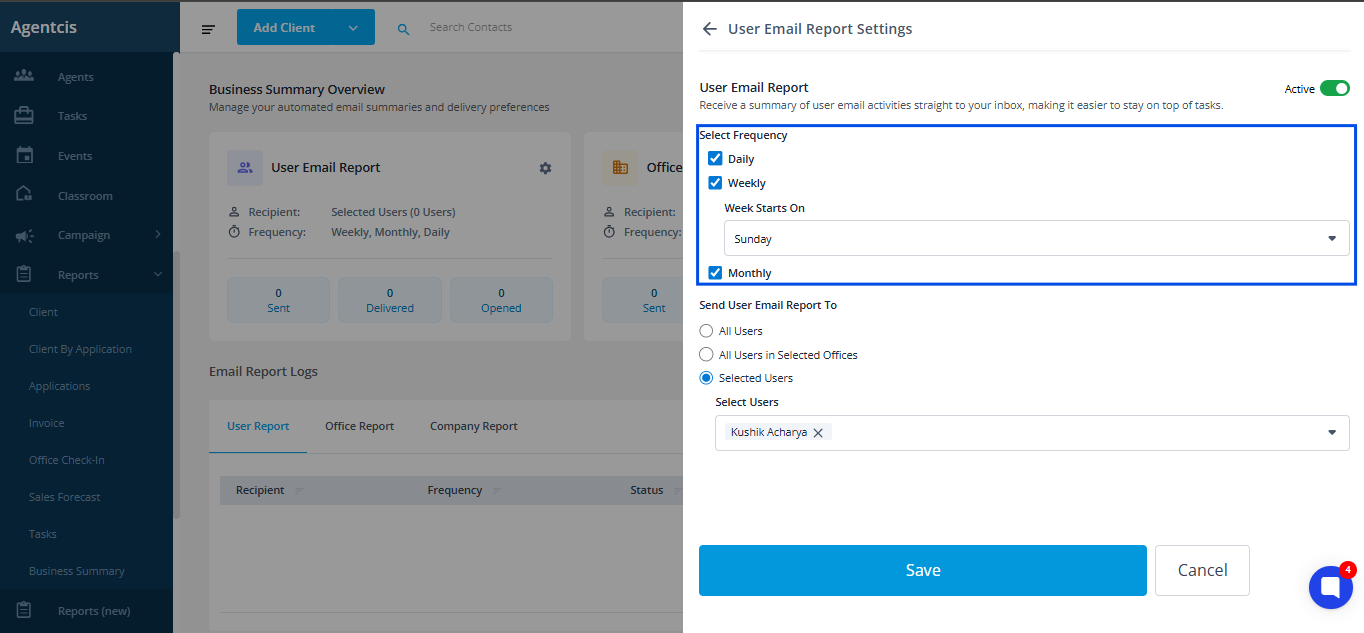
Choose report frequency:
Daily
Weekly
Monthly
Choose recipients:
All Users
Selected Offices
Selected Users
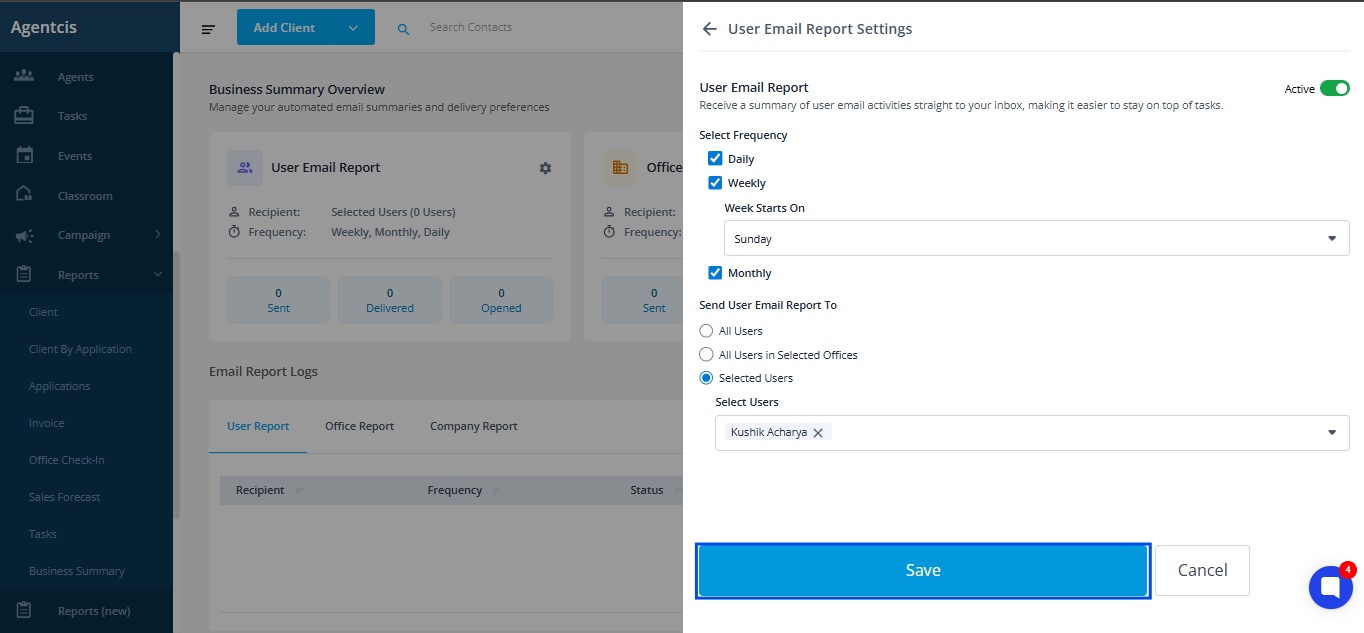
Click Save
If allowed by admin:
Go to Reports Module
Open Email Report Summary
Click Preview to view example
Adjust your own frequency
Save settings
To use this feature, we will be needing permissions:
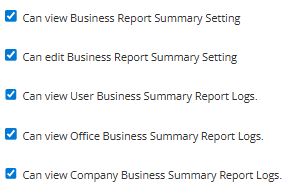
View Email Summary Report: To preview summaries and access logs
Edit Email Summary Report Settings: To manage frequency and recipients
View User Business Summary Report Logs: To access the history of reports sent to individual users.
View Office Business Summary Report Logs: To access the history of reports sent for an office.
View Company Business Summary Report Logs: To access the history of company-wide reports
Note: Without these, users will not see or receive the feature.
Not receiving the report? Check:
Email quota may be exhausted
Report is turned OFF
Wrong frequency is selected
User has no permission
Email went to spam
User is disabled
Report failed and needs to be resent
When quota is insufficient, system sends:
“We were unable to send your Business Summary Report as your email quota has been exhausted.”
Admins can top-up credits and resend reports.
Counselors should rely on daily summaries to plan & review their day
Managers can use weekly office summaries for team meetings
Owners can use weekly company reports for strategy
Use stage reminders to avoid delaying applications
Use graphs to identify trends, slowdowns, or improvements