You can now download documents from your client’s applications in bulk, making document management faster and more efficient. This approach removes the need to download individual files and ensures smoother tracking of documents across applications.
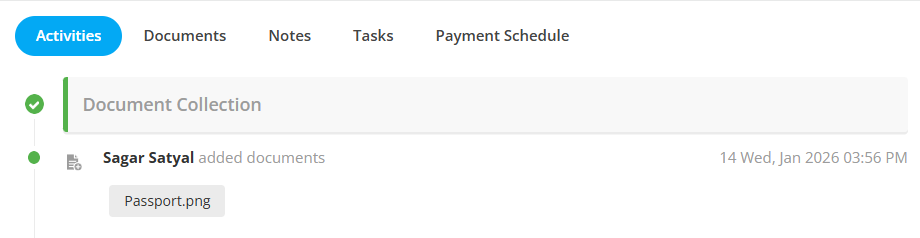
The following types of documents are available for bulk download on the application details page:
Documents uploaded in Activities
Documents from the application’s Document Checklist

Here are the steps to donwload the documents from application in bulk:
Step 1: Open the application of the contact for which you want to download documents and navigate to the Application Details page.
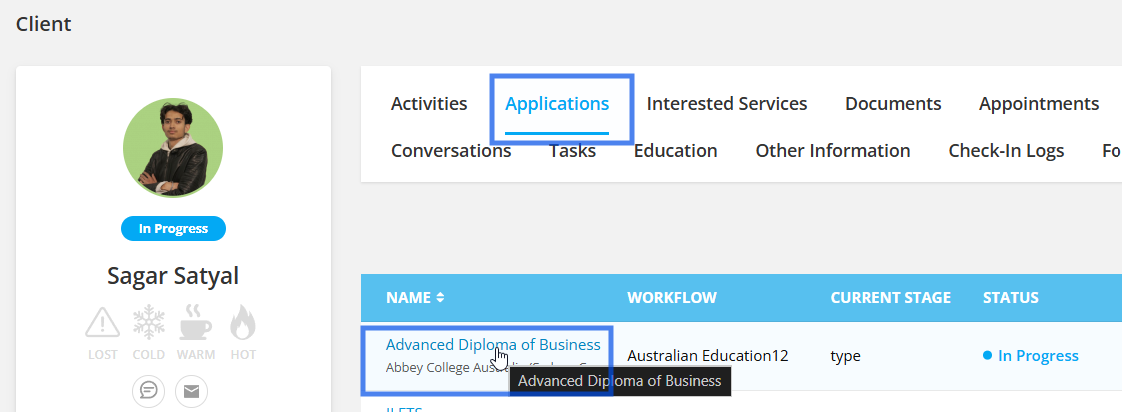
Step 2: Go to the Documents section, where you can view all files uploaded under Activities and the Document Checklist.
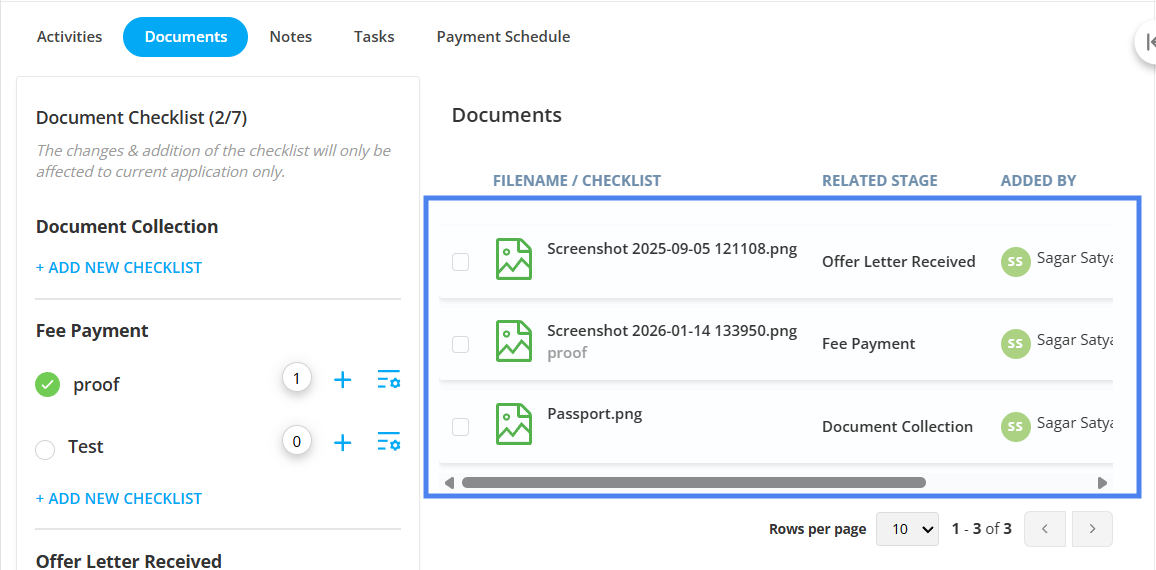
Step 3: Click on the checkbox to select your documents.
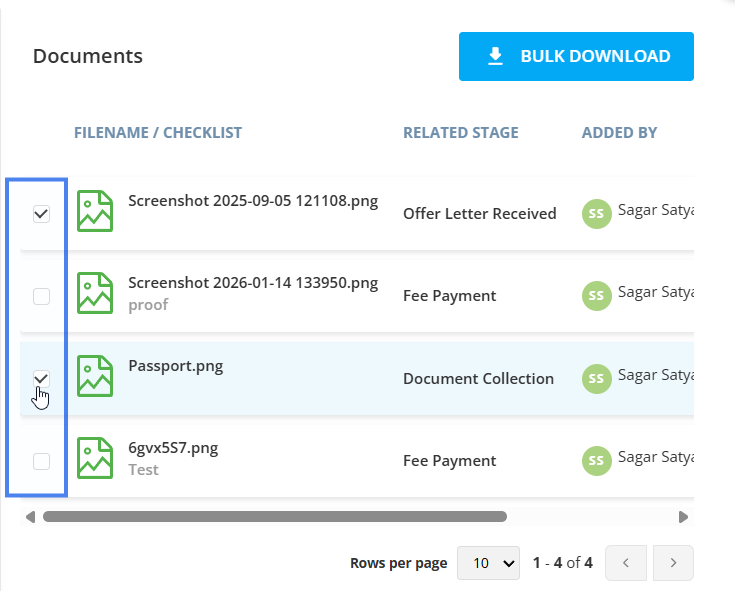
Once the selection is made, the Bulk Download toggle will appear at the top of this section. By clicking on it, the selected documents will be downloaded to your local device.
