
Activating the Agent Portal
Before activating the Agent Portal, ensure that you have sufficient licenses available for agents. If additional licenses are required, click on Buy License from the top navigation bar. This section displays important information including:
Total number of agents
Sub-agent and super-agent counts
Connected agents
Agent Portal status
Number of available licenses
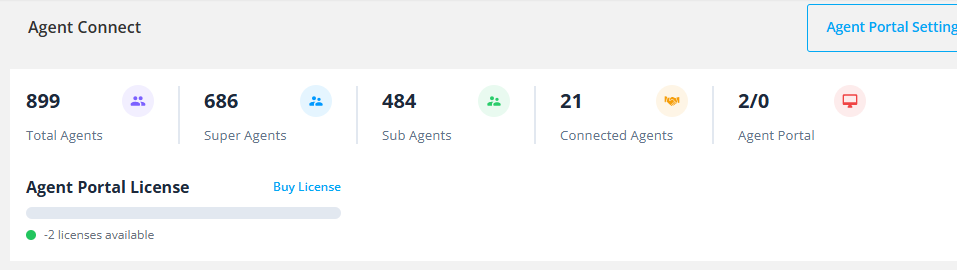
This dashboard helps you effectively manage and purchase licenses as needed.
Activation Methods
Method 1: Via Agent Profile
Step 1: Open the agent's profile by clicking on the agent's name from the agent list.

Step 2: Enable the Agent Portal Toggle switch.
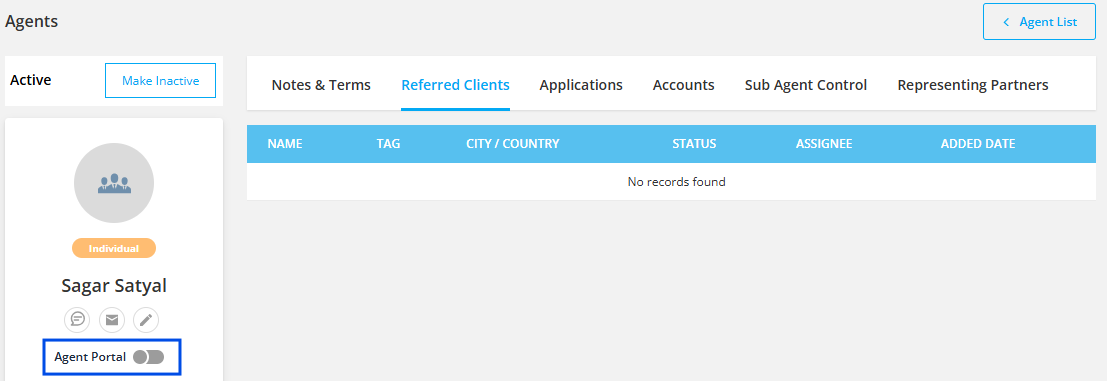
Once enabled, the agent will receive an email containing the portal URL. They can log in through this domain and set their password.
Method 2: Via Agent List
Step 1: Click on the Action arrow located on the right side of the agent list entry.
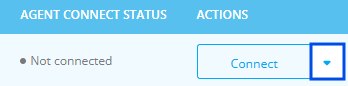
Step 2: Select Activate Portal.
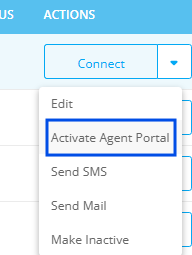
The agent will receive an email with the portal URL and can proceed to log in and set their password.