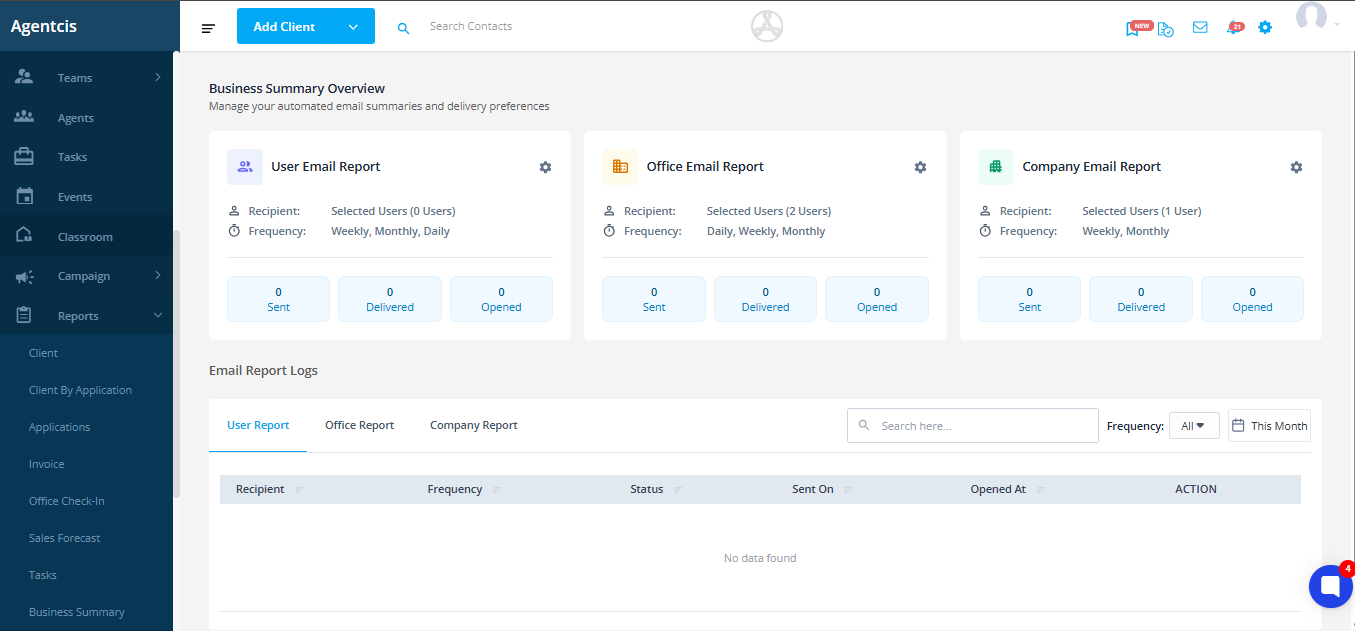
The Business Summary Report is an automated email feature in Agentcis that brings all your essential business activities such as, tasks, deadlines, appointments, contacts, applications, and performance indicators into a single, easy-to-read email.
Instead of manually checking different modules like Contacts, Tasks, Applications, Notes, and Office Check-ins, the Business Summary Report gathers everything and delivers it directly to your inbox.
This helps you:
Start your day with clear priorities
Monitor your team’s activities
Track weekly performance trends
Understand branch productivity
Review company-wide progress
It is designed to save time, reduce manual tracking, and increase visibility across all important workflows.
The Business Summary Report is designed for three types of users in your organization:
Focuses on daily personal tasks, appointments, assigned contacts, application updates, and reminders.
Receives weekly branch-level insights like team performance, application progress, contact flows, and staff productivity.
Gets a complete overall business snapshot across all branches, including growth trends, conversions, and top-performing locations.
There are three types of summary reports, such as:
Sent daily (morning & evening)
Also available weekly and monthly
Contains personal work items and daily performance insights
Sent weekly and monthly
Shows team assignments, conversions, applications, tasks, check-ins
Sent weekly and monthly
Shows overall company health, branch comparisons, and global trends
To learn more about Individual, Office and Company Summary Reports, please follow the following link:
Understanding Individual, Office, and Company Summary Reports
A detailed breakdown of each report type so clients fully understand what they are looking at.
Report | Frequency | Time Sent |
Individual (Daily) | Daily | 6:00 AM & 7:00 PM |
Individual (Weekly) | Weekly | 12:00 AM (selected day) |
Individual (Monthly) | Monthly | 12:00 AM (1st day) |
Office Summary | Weekly/Monthly | 12:00 AM |
Company Summary | Weekly/Monthly | 12:00 AM |
Agentcis automatically detects and uses the user's time zone to deliver the reports.
Learn to set up and manage the summary report from the following link:
How to Set Up & Manage Summary Reports
A step-by-step guide that clients can follow easily.