
How to Add Agents to the System
Agents can be added to the system using any of the following methods:
Method 1: Add Individually
Add agents one at a time directly into the system.
For detailed instructions, please refer to the following article:
https://support.agentcis.com/en/articles/273-adding-agents
Method 2: Bulk Import
Upload multiple agents simultaneously using the bulk import process.
For detailed instructions, please refer to the following article:
https://support.agentcis.com/en/articles/270-bulk-import-of-agents
Method 3: Via Form (QR Code, URL, or Embedded Code)
Collect agent details by sharing a form through a QR code, URL, or embedded code on your website.
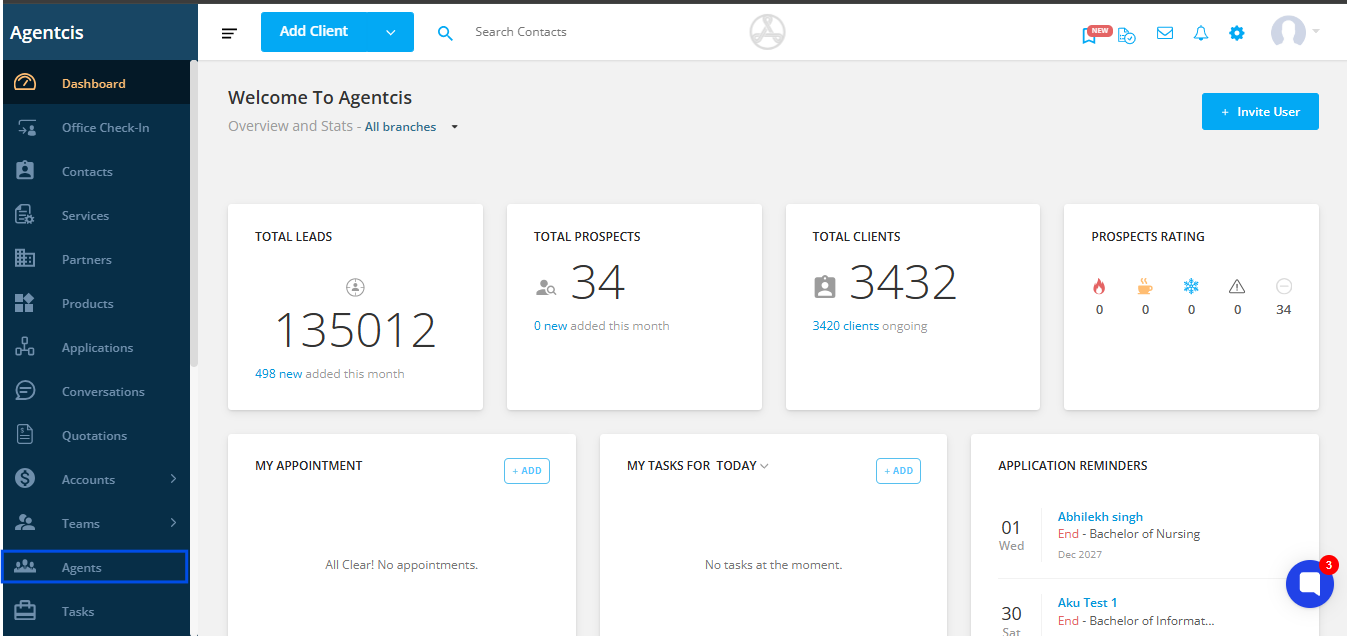
Step 1: Navigate to Agent from the blue navigation bar.
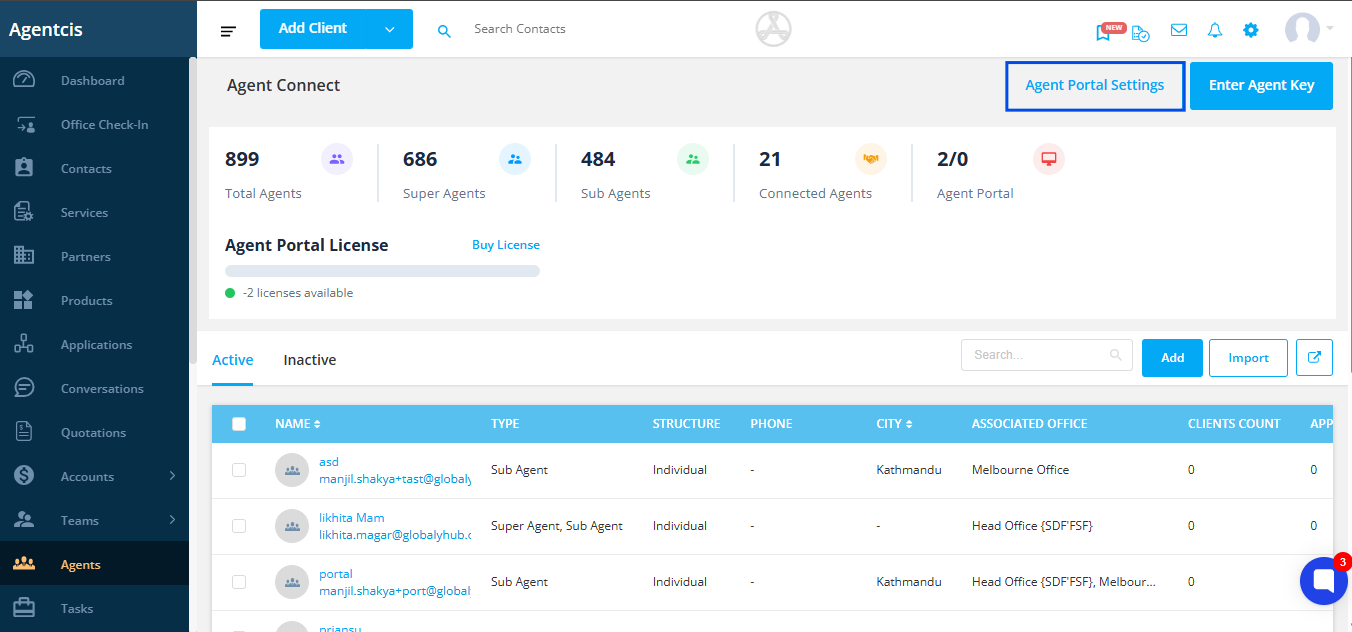
Step 2: Click on Portal Settings.
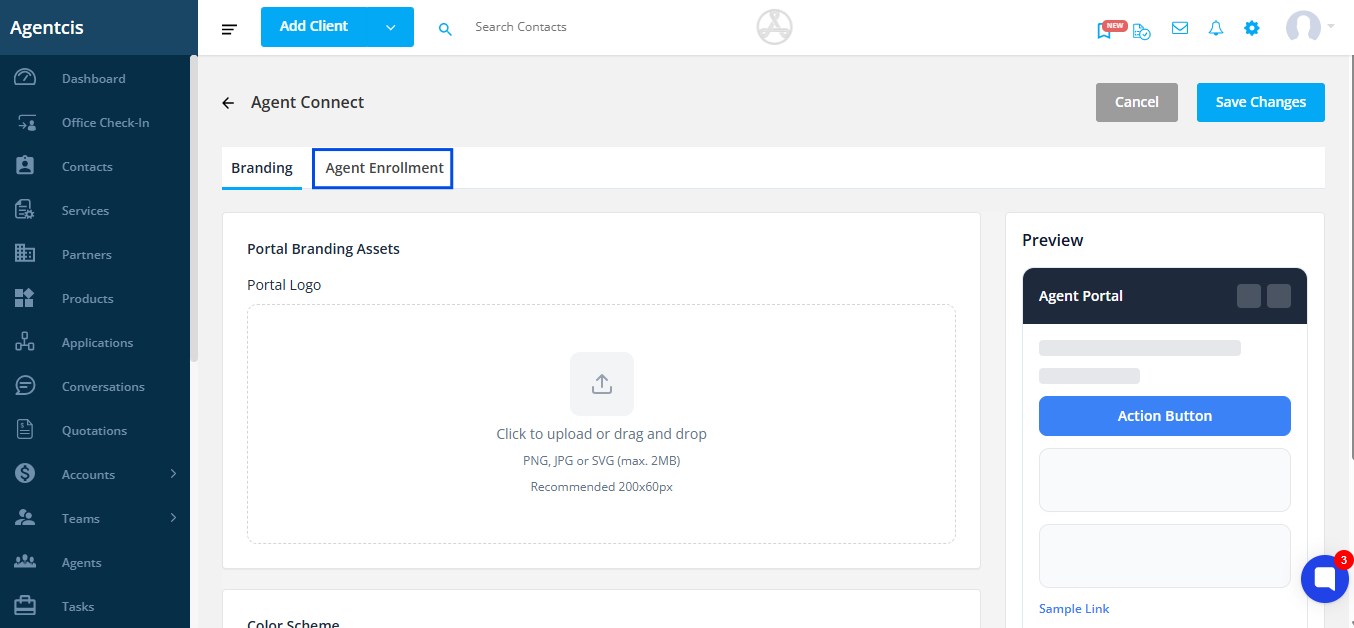
Step 3: Select Agent Enrollment.
Step 4: Choose one of the following options to share the form:
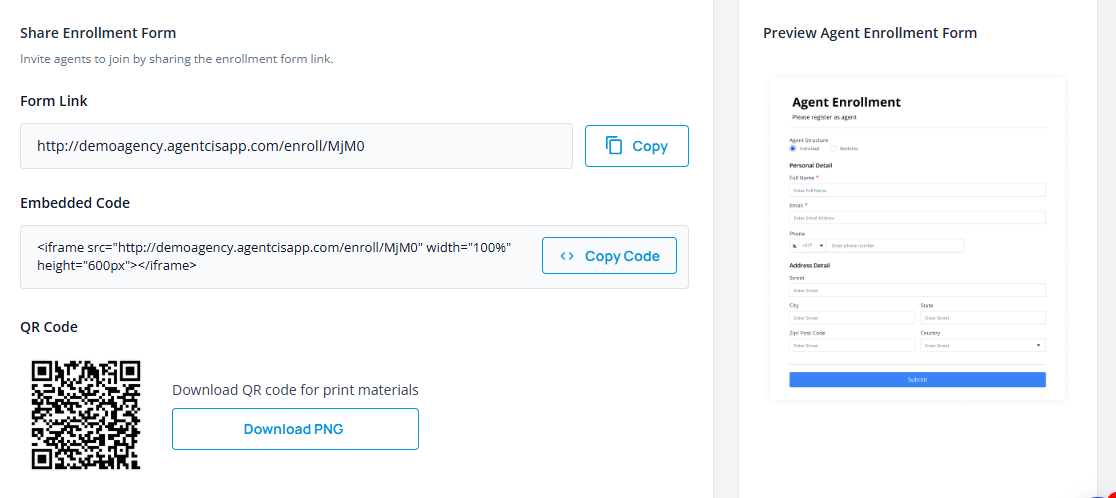
URL: Copy the URL and share it directly with the agent.
Embedded Code: Copy the embedded code and place it on your website.
QR Code: Download the QR code and share it with the agent for scanning and form completion.
Note: You can preview the form that will be sent to agents. Please be aware that the form is not customizable.